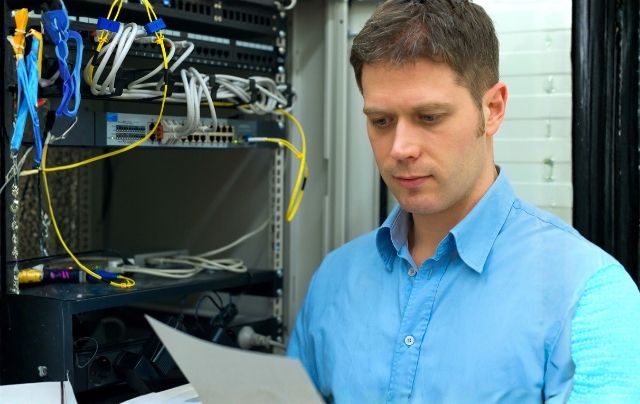
When wireless works the way it should, no one thinks about access points, channels, or cable routes. Teams simply connect, video calls stay stable, handheld devices sync in the background, and guest networks behave. In high-density spaces like busy offices, training centers, and campuses, that smooth experience rarely happens by accident. It rests on a well-planned Commercial Wifi Installation that can handle a crowd without collapsing.
As more devices, cloud tools, and real-time applications stack up on the same network, “just adding another access point” stops working. Interference grows, speeds drop, and support tickets climb. In this blog we will discuss what makes high-density WiFi different, how to plan capacity instead of guessing, where Business Wifi Installation connects with Network Cabling San Antonio, and why a structured, high density wifi design protects performance as environments continue to grow.
Understanding High-Density WiFi Needs
High-density WiFi is less about square footage and more about how many devices and users compete for airtime at the same moment. A compact training room with fifty people on laptops and phones can be tougher to support than a quiet entire floor. That is why planning starts with understanding how the space is actually used, not just how it is drawn on paper.
In these environments, WiFi has to do more than provide a basic signal. It needs to support:
- Video meetings that cannot afford stuttering or dropouts
- Shared workstations and hot desks with constant logins and logouts
- Wireless handhelds, scanners, and tablets in operational areas
- Visitors and guests who still expect a usable connection
Without a clear view of these patterns, even good equipment can underperform because it is deployed in the wrong way.
Why Planning Beats Patchwork
Many networks reach a breaking point after years of incremental changes. An extra access point gets mounted to fix a slow corner, a new SSID is added for a project, and channels are adjusted under pressure. Each step seems reasonable in isolation, but over time the result is a patchwork that is hard to tune and even harder to support.
A future-focused Business Wifi Installation takes a different approach. Instead of reacting to one problem at a time, it looks at:
- Where people gather and how often those spaces are full
- Which tools are critical for daily operations and cannot tolerate drops
- How many devices an average user carries (often two or three, not one)
- Where the network needs to grow over the next few years
Enterprise wireless network planning turns all of this into a design that can be monitored, adjusted, and expanded instead of constantly patched.
Mapping Coverage and Capacity
Coverage is the starting point, but density is where high-traffic environments succeed or fail. A single access point can technically “see” a wide area, yet still choke when too many clients try to use it at once. That is why a proper Commercial Wifi Installation is usually based on both a floor plan and usage expectations.
In practice, this often includes:
- Heat map surveys to find dead zones and overly strong overlap
- Capacity estimates for each zone based on headcount and device counts
- Channel planning to reduce co-channel interference between access points
- SSID and bandwidth policies that separate business-critical traffic from casual use
A well-built high density wifi design makes it possible to increase performance by adjusting configurations instead of moving hardware every time a room fills up more than expected.
How does commercial WiFi installation work?
A common question in busy organizations is how a professional deployment actually comes together. From the outside, it can look like access points simply appear on ceilings overnight, but there is much more happening behind the scenes.
A structured project will typically follow steps such as:
- Initial discovery: understanding current pain points and future plans
- Design: translating those needs into access point placements and wiring routes
- Cabling: coordinating with Network Cabling San Antonio teams to run links back to network rooms
- Configuration: setting up SSIDs, security policies, VLANs, and quality-of-service rules
- Validation: testing signal, throughput, and roaming behavior in real conditions
Handled this way, WiFi stops being a single event and becomes part of a repeatable, enterprise wireless network planning process.
Network Cabling and Wireless Performance
WiFi may be wireless at the edge, but it is entirely dependent on the wired core. If backbone routes are congested or poorly organized, even the best design on paper will struggle in use. That is where the relationship between Wifi Installation and Network Cabling becomes critical.
Strong cabling support for wireless usually includes:
- Dedicated cabling to each access point run along clean, documented paths
- Sufficient PoE capacity so devices are not starved of power during upgrades
- Clear labeling to make troubleshooting faster when issues appear
- Room in racks, trays, and conduits for additional access points as density increases
When the wired foundation is built deliberately, WiFi upgrades become far less invasive. New access points can often be added using existing routes and standards instead of starting over in each area.
Choosing the Right WiFi Partner
High-density environments are unforgiving places to experiment. That is why many organizations look for partners with a track record in Business Wifi Installation rather than treating WiFi like a generic commodity. Experience matters in both design and execution.
Reliable partners will usually:
- Ask detailed questions about workflows, not just floor area
- Combine wireless design with structured cabling planning from the outset
- Explain trade-offs clearly between speed, coverage, and budget
- Provide documentation and post-install support, not just a one-time build
When the same team understands both the wireless layer and supporting Network Cabling, decisions about access point placement, power, and expansion become clearer and more resilient over time.
Designing for Future Change
User count, application mix, and device types do not stay still. New collaboration platforms arrive, video usage grows, and more operational tasks shift from wired to wireless. A high-density design that only fits today’s load will age quickly.
Future-aware Commercial Wifi Installation projects allow for:
- Additional access points in predicted growth areas
- Policy changes as new applications become priority traffic
- Integration with other systems, such as security or guest management, without redesign
- Incremental hardware refreshes instead of disruptive rebuilds
By framing WiFi as part of a long-term connectivity strategy, organizations can adapt to new tools and ways of working without having to rethink the entire network foundation every few years.
Drawing the Planning Lessons Together
Wireless performance is no longer a ‘nice to have’ in busy offices. It supports conversations, cloud tools, and security systems that keep operations moving. With thoughtful design, careful surveying, quality hardware, and clean wiring, WiFi becomes something that quietly works in the background, even when rooms are full and demand is high. But the fact is, you can’t build it like that in a commercial environment without it looking and feeling as deliberately built as everything else there. Good design, meticulous surveying, quality hardware and clean wiring are what make that experience consistent from season to project to crews growing up at work in my assembly line.
High-density demands and rewards those who design their networks with WiFi as critical infrastructure, not an afterthought. But with careful Business Wifi Installation, well done Network Cabling and ongoing optimization, your network gets to be one that grows with you instead of requiring a panic fix every time traffic through it spikes unexpectedly.
CMC Communications partners with businesses that require their wireless networks to be the same one in reality. We design and build systems around how spaces are actually utilized, via finely tailored Wifi Installation planning, coupled with structured cabling/low-voltage services. Model Our team focuses on coverage, capacity, security, and documentation and ensures that your WiFi enables meetings, operations and further expands rather than becoming a hindrance to the constructive engagement of these capabilities.
Touch base with CMC Communications now to start talking about high-density WiFi planning and installation in your commercial spaces.
Commonly Asked Queries
Q1: How many AP should I have and how to place them for a high-density area?
The number varies based on user counts, types of devices, applications and how the room is laid out. Dense design typically depends on predictive planning and on-the-ground surveys rather than an overly simplistic “one per room” rule to avoid congestion in a few access points.
Q2: What’s the difference between business WiFi and standard WiFi routers?
Commercial WiFi is designed to support more users, stronger security management, better roaming and ongoing monitoring. It’s designed for centralizing management and policies whereas basic routers are meant for light smaller low complexity use.
Q3: What is the usual timescale of a commercial WiFi installation project?
This schedule can vary based on building type and complexity. Most projects consist of several stages: audit and layout planning, cable fitting, mounting access points, their configuration and final testing. During implementation and redevelopment, planning and cooperation make a great difference in avoiding interference with normal operations.
About Us:
CMC Communications, is a Cabling Contracting, Fiber Optic Contractor, IT company. Specializing in Cel-fi Quatra Cellular & Public Safety DAS system design & installation, Sound Masking, along with Ubiquiti Unifi, Cisco Meraki, and HPE Aruba commercial Wi-Fi systems & network installation.
Service Area:
Austin, Georgetown, Round Rock, Pflugerville, Hutto, Cedar Park, Buda, San Marcos, New Braunfels, Schertz, San Antonio, Temple, Killeen, Houston, College Station, Conroe, The Woodlands, Montgomery, Katy, Fort Worth, Dallas and Surrounding areas.
Contact Information:
CMC Communications
800-781-8431 Toll Free (All Areas)
512-640-0884 Austin area
713-955-0989 Houston area
210-202-0747 San Antonio area
214-396-8695 Dallas | Fort Worth