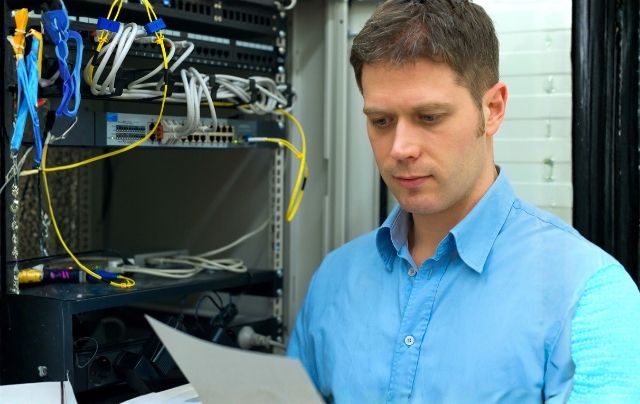
Austin’s businesses run on fast, predictable connectivity—meetings, cloud apps, voice, video, automation. Yet many offices inherit cables pieced together over years, creating hidden bottlenecks and support tickets. A planned cabling plant turns that chaos into order: labeled pathways, certified links, and flexible ports where teams actually work. For buyers comparing options in Data Cabling Austin, the key is understanding how design choices translate into daily reliability, not just day-one speed.
Well-executed network cabling improves more than throughput; it shapes how desks are arranged, how rooms are booked, and how quickly teams move. This guide shows where commercial cabling matters most—IDF/MDF rooms, floor layouts, conference spaces, and warehouses—and how to evaluate partners, materials, and testing. The aim is practical: a standards-based plant that’s easy to expand, simple to troubleshoot, and comfortable to manage.
Why Cabling Matters
How does commercial network cabling improve office efficiency and reliability? Start with the basics—the physical layer (the cables in your walls, ceilings, and racks). When cabling is built to recognized standards (TIA/EIA, ISO/IEC), performance is consistent from the network closet to every desk. That translates into fewer random dropouts, clearer handoffs when issues arise, and faster fixes. Clear labels, simple port maps, and tidy patch fields remove guesswork so IT can make changes in minutes instead of hours.
Just as important, a well-built cabling plant lasts. Planned cable routes, proper bend radius, and safe separation from electrical noise keep signals clean, which makes video calls, voice, and collaboration tools feel smooth—even at busy times.
- Fewer tickets: Standards-based links reduce intermittent faults and mystery slowdowns.
- Faster troubleshooting: Labels and port maps tell technicians exactly where to look first.
- Quicker moves/adds/changes: Pre-labeled ports and tidy patching speed desk reconfigurations.
- Reliable meeting rooms: Dedicated ports for UC bars, displays, and table connections keep sessions stable.
- Better Wi-Fi coverage: Correctly placed, powered (PoE) access point drops improve roaming and capacity.
- Easier audits: Documented runs, as-builts, and test results make compliance checks straightforward.
- Lower lifetime cost: Durable routing and protection reduce rework and support future growth.
Austin Office Realities
Local conditions shape scope and schedule—historic buildings downtown, new shells on the edges, and multi-tenant towers with strict access rules. Experienced Network Cabling Contractors stage work around cutover windows, elevators, and loading docks, and coordinate with landlords and authorities having jurisdiction (AHJs). That coordination prevents delays and protects sensitive areas like clinics, labs, and production floors.
Where offices use hot-desks or neighborhood seating, extra outlets near collaboration zones reduce cable drape and ad-hoc extensions. For growth corridors—new hires, new teams—pulling spares during the initial install is cheaper than disruptive revisits later.
Backbone And Rooms
Strong offices are built from the core out. In MDF/IDF rooms, rack layout, patch panels, and pathway management determine how cleanly traffic moves between floors. Structured Cabling Contractors specify riser/backbone fiber for distance and bandwidth, then copper to desks for flexibility. Consistent labeling (closet → patch panel → port → desk) keeps moves/adds/changes predictable. Map labeling to your seat map/room names (e.g., “IDF-2-PP3-A14 → Conf-Cedar-Screen”) so facilities and IT can relocate or add endpoints without a walkthrough.
Use cases that benefit first:
- Conference areas: stable connections for video bars, content sharing, and room schedulers.
- Operations spaces: printer banks, VoIP phones, POS stations that must stay online.
- Warehouses: scanners, AP clusters, and control gear needing long, reliable runs.
Quick Planning Snapshot
| Area/Location | Recommended Media | Typical Ports/Strands | Primary Benefit |
|---|---|---|---|
| MDF ↔ IDF risers | Fiber (SM/MM) | 12–48 strands | High bandwidth, distance |
| Work areas/desks | Copper (Cat6/6A) | 2–4 ports per station | Flexibility, easy MACs |
| Conference rooms | Copper + Fiber uplink | 6–12 ports + 2–4 strands | Reliable AV and sharing |
| Warehouse zones | Fiber trunks + Copper drops | Trunks + per-device ports | Long runs, EMI immunity |
(SM/MM = single-mode / multi-mode; MACs = moves/adds/changes)
Speed And Uptime
Speed is only useful if it’s available during crunch time. Clean separation of data/voice/AV pathways reduces contention, and smart AP cabling minimizes interference and dead zones. For conference spaces, dedicate pathways for UC bars, displays, and table-connect panels; good cable management keeps rooms tidy and cuts pre-meeting setup time. Certified testing proves links meet spec so support teams can focus on switches and apps instead of chasing physical faults.
Redundancy matters too. Dual risers or diverse routes between closets protect against single-path failures. For tenant improvements, temporary patching plans maintain service while construction phases move walls or furniture.
Smart Design Choices
Good designs start with a site walk. Verify cable types (plenum vs. riser), tray/ladder routing, and patch-field density. Then align outlets with work patterns: desks, collaboration tables, printers, security devices. Reputable Network Cabling Companies document optical budgets, loss targets (for fiber), and channel lengths (for copper) so performance is predictable.
Helpful inclusions:
- Labeled as-builts and rack elevations for future vendors and future maintenance, audits, and upgrades.
- Patch-panel schemes that mirror room layouts plus naming conventions, device types, and seat maps.
- Spare ports at critical locations for quick reconfigurations and seasonal expansions, temporary equipment, and growth.
- Service loops and strain relief to protect terminations during maintenance, moves, and vibration.
Modern office setups rely on PoE for wireless access points, IP phones, cameras, and access control; plan power budgets and port density so these devices don’t starve during peak loads.
Pricing And Scope
Accurate pricing begins with an on-site survey: floor plans, pathway availability, penetrations, and after-hours limits. Quotes should be line-itemed—materials, labor, testing, documentation, and permits—so stakeholders can compare apples to apples.
In Data Cabling Austin projects, value engineering might swap enclosure types or connector styles without sacrificing reliability. Ask for an apples-to-apples alternates section (enclosures, connector types, riser diversity) to compare cost vs. reliability without changing the functional outcome.
Two items to insist on: exported certification reports for every link, and a close-out packet that includes labeling maps. When Structured Cabling Contractors hand off clean documentation, future changes are faster, cheaper, and far less disruptive to operations.
Selecting the Partner
Not all partners work the same way. Ask Network Cabling Contractors about certifications (BICSI), safety training, and how they handle cutovers in occupied spaces. Before award, review a sample close-out packet—per-link certification results, OTDR/power meter data for fiber, and clearly labeled as-builts. Strong references from comparable Austin sites are gold.
When you evaluate Network Cabling Companies, weigh project management as highly as price. Look for clear milestones, nightly status during cutovers, and post-install response times. The right partner treats cabling as business infrastructure—not just wire pulls.
Conclusion
Commercial cabling shapes the daily rhythm of work. With a standards-based plant, offices gain predictable performance, quick troubleshooting, and the flexibility to reconfigure seating, add devices, and open new rooms without drama. From closets to conference tables, clean routing and accurate labeling turn complex spaces into dependable, scalable environments.
Our team at CMC Communications delivers disciplined scoping, certified workmanship, and verifiable close-outs for Austin organizations. As seasoned Network Cabling Companies, our teams coordinate access and downtime windows, document every link, and support IT with artifacts that make future changes painless. Partnering with trusted Network Cabling Contractors and experienced Structured Cabling Contractors elevates office setups beyond speed—toward reliability, resilience, and long-term value.
Ready for a survey and a line-item cabling proposal? Contact us at CMC Communications to schedule an Austin site visit today.
FAQs
Q1: How many spare ports should a typical workstation have?
Two is common; four gives flexibility for phones, printers, and future devices without a revisit.
Q2: Do we need plenum cable everywhere?
Only in return-air spaces (per local code). Riser cable is used in vertical shafts; your site walk confirms which type goes where.
Q3: What documents should we receive at close-out?
Labeled as-builts, rack elevations, per-link certification results (CSV/PDF), and warranty details—organized so future changes are fast and low-risk.
About Us:
CMC Communications, is a Cabling Contracting, Fiber Optic Contractor, IT company. Specializing in Cel-fi Quatra Cellular & Public Safety DAS system design & installation, Sound Masking, along with Ubiquiti Unifi, Cisco Meraki, and HPE Aruba commercial Wi-Fi systems & network installation.
Service Area:
Austin, Georgetown, Round Rock, Pflugerville, Hutto, Cedar Park, Buda, San Marcos, New Braunfels, Schertz, San Antonio, Temple, Killeen, Houston, College Station, Conroe, The Woodlands, Montgomery, Katy, Fort Worth, Dallas and Surrounding areas.
Contact Information:
CMC Communications
800-781-8431 Toll Free (All Areas)
512-640-0884 Austin area
713-955-0989 Houston area
210-202-0747 San Antonio area
214-396-8695 Dallas | Fort Worth
info@cmctelco.com
www.cmctelco.com